
Smart Call Systems is a business-to-business voice AI company operating out of Victoria and selling to service businesses across Australia. Its product answers the phone when nobody else can: it handles routine questions, captures contact details, qualifies the enquiry, checks postcodes against service areas, escalates anything complicated to a human, writes the booking into the calendar, and pushes the record into a CRM.
The buyers are small and mid-sized operators with high call volume and a repeatable booking process. Home services and trades, medical and allied health practices, pest control and property services, tour and activity operators, transport and shuttle companies. The decision usually sits with the owner, an operations or customer service manager, or whoever is currently being interrupted by the phone.
The company is early. Levar Group Pty Ltd was registered in February 2026, with the Smart Call Systems business name registered days later. That timing shaped the whole project: this was not a redesign, it was the product’s first public presence.
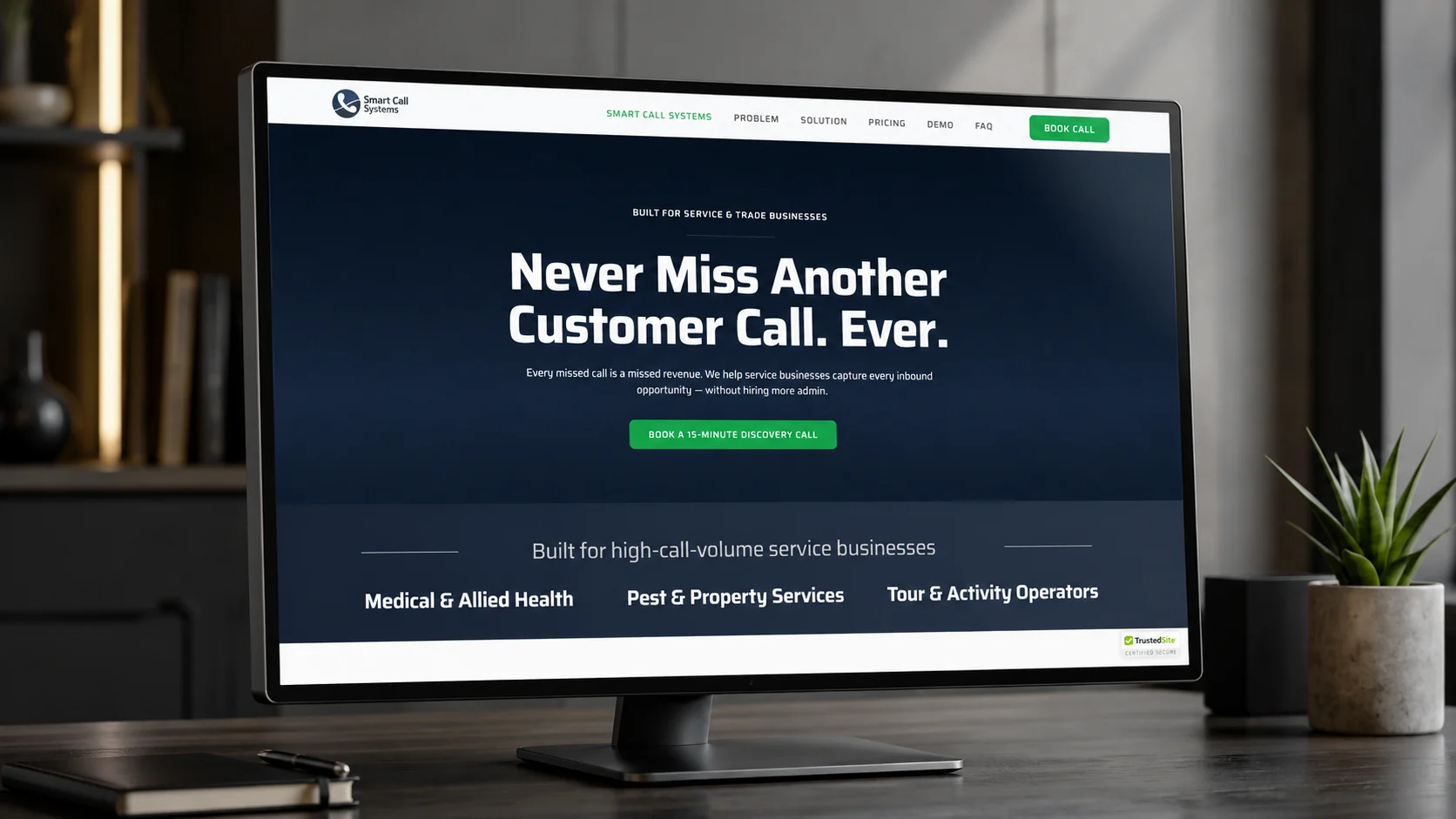
An AI receptionist is an unfamiliar purchase for the people most likely to need one. A plumber or a physio has a clear mental model for hiring an admin, and no mental model at all for handing the phone to software.
That produces a long queue of questions before anyone will consider buying. Will it really answer calls? Will callers know? What happens when someone asks something it cannot handle? Does the phone number change? Does it talk to the calendar? Is it secure? What does it cost? Every one of those has to be answered before a conversation is possible, and none of them can be answered by a hero image and a contact form.
Underneath that sits a harder framing problem. Nobody buys AI. They buy the end of missed calls, fewer interruptions, more confirmed bookings, coverage after hours, and not having to hire another administrator. A page that leads with the technology is answering a question the buyer has not asked yet.
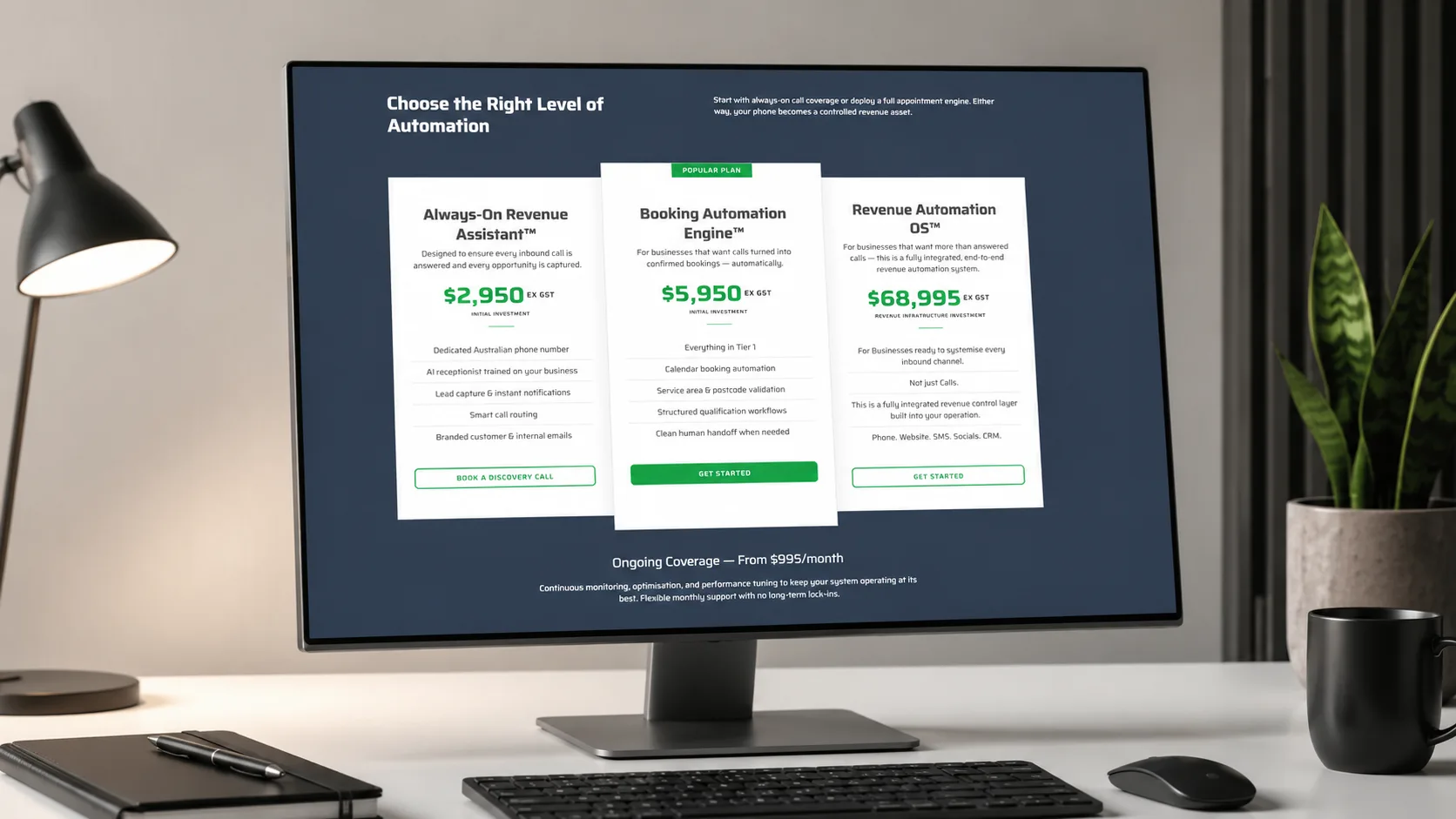
The price range made the stakes concrete. Implementation tiers run from $2,950 ex GST to $68,995 ex GST, with ongoing coverage from $995 a month. At those numbers an email capture form is the wrong instrument. Nobody buys this from a page. Before anything can be quoted properly, someone has to establish call volume, existing processes, integrations, service areas, and booking logic, which means the page’s job is not to sell the product but to earn a conversation.
One thing this case study cannot tell you is what changed, because there was nothing to change from. The product had no digital home before this build, so there is no traffic, conversion, or performance baseline to compare against. Measurement starts here.
A week, four stages, no overlap to spare.
We worked through how the system actually behaves, who it is for, which use cases matter, what objections come up in sales conversations, and how the pricing tiers differ. The output of this stage was not a design. It was a translation: taking a technical capability list and restating it as commercial outcomes.
We sequenced the page as an argument rather than a brochure: the offer, who it is for, the cost of missed calls, why the problem happens, what it looks like day to day, the solution, the benefits, pricing, demo, implementation process, guarantee, FAQ, and a closing call to action. Anchor navigation across Problem, Solution, Pricing, Demo, and FAQ let a returning visitor jump to the part they were still weighing up.
We set the visual direction, designed the hero, and built reusable components: problem and solution blocks, pricing cards, FAQ accordion, CTA bands. WordPress development ran directly off those components. The hardest design problem was rhythm, because a page this long loses people unless each section visibly hands off to the next.
We connected Google Calendar, placed the booking CTA at every point where a visitor might have decided, added the contact email, then checked the whole thing across desktop, tablet, and phone, tested the anchor links and every outbound link, ran a booking end to end, and launched.
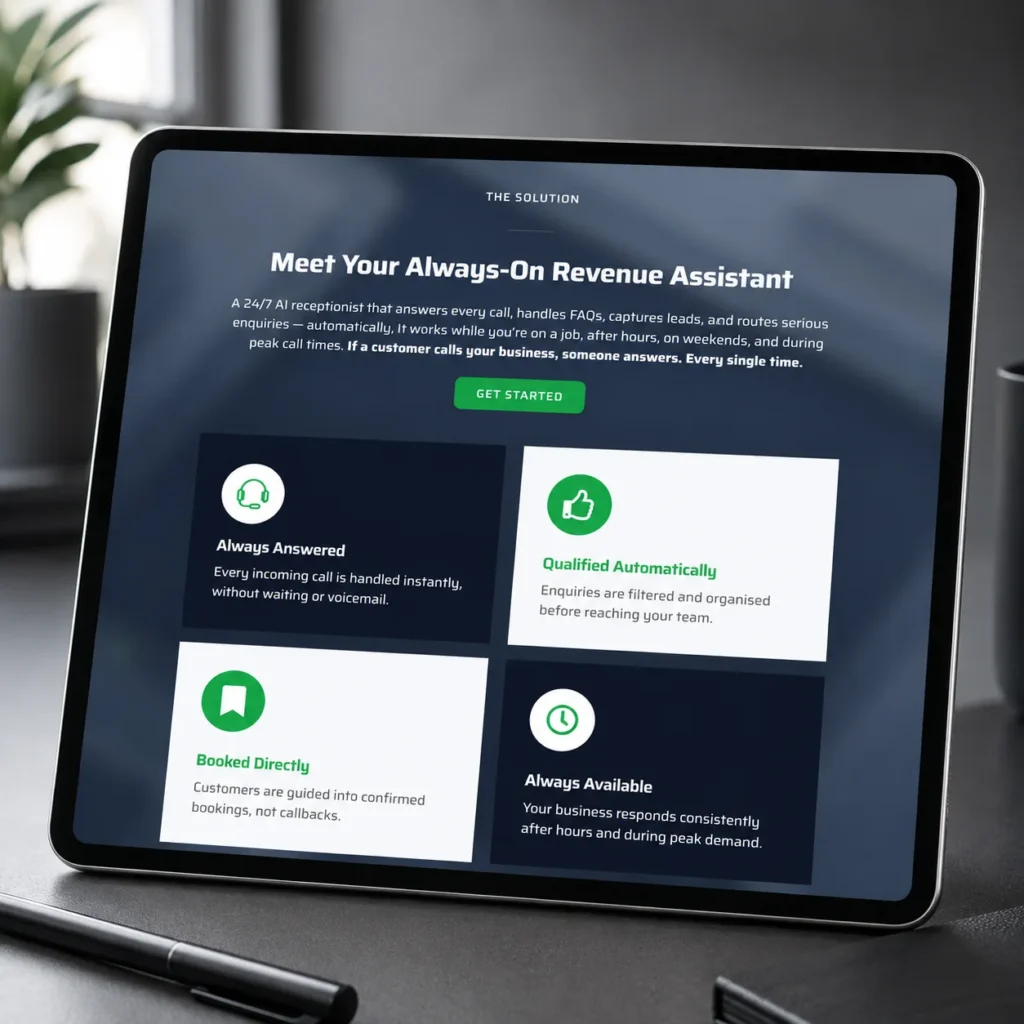
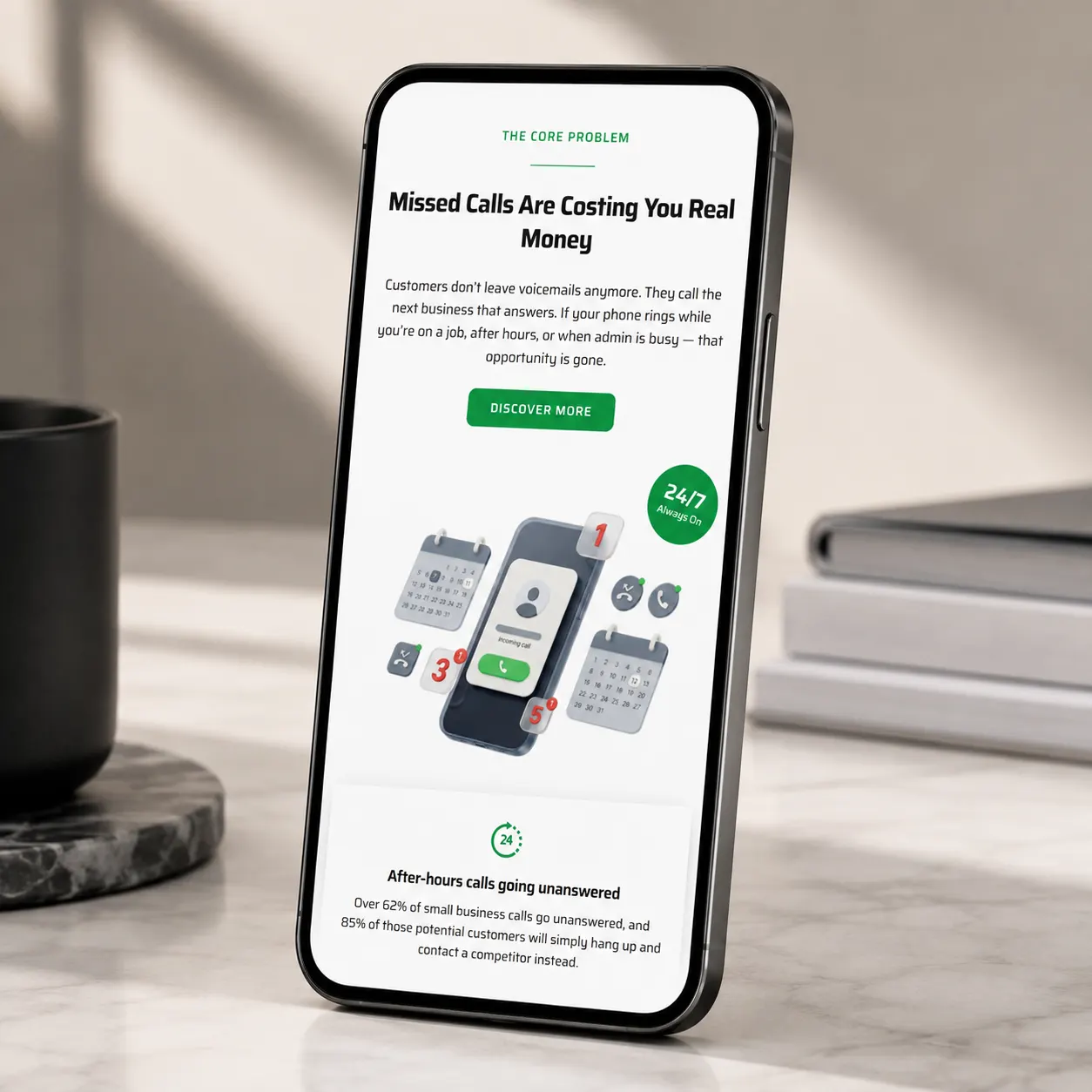
The page is a custom WordPress build assembled from reusable sections. That is what made seven days survivable: positioning and pricing were still being refined while the page was being built, and a component system meant copy could change inside finished modules without rebuilding anything around them.
Four alternatives were considered and dropped. A multi-page site was the first to go, because the company was launching one product on a one-week deadline, and industry pages, integration pages, and case studies would have added scope without necessarily improving the first conversion. Those pages are worth building later, once there are real results and real search demand to build them around.
A short brochure page was rejected for the opposite reason. An unfamiliar product at this price cannot be sold on a hero and a form.
A technically-led page was rejected on principle. Nobody in this audience is evaluating models or architecture.
And direct online purchase was never viable, because every deployment is configured against a specific business’s services, qualification rules, schedule, service areas, postcode restrictions, routing conditions, and integrations. A discovery call is not a softer conversion here. It is the only honest one.
The WordPress choice itself came down to what happens after launch: the client can edit copy, adjust pricing, and extend the page without a developer.
| Element | How it is handled |
| Structure | A single long-form page sequenced as an argument, from missed-call cost through to the closing CTA |
| Navigation | Anchor links across Problem, Solution, Pricing, Demo, FAQ, and Book Call |
| Pricing | Three named implementation tiers plus monthly coverage, published openly |
| Conversion | One action, the 15-minute discovery call, wired to Google Calendar and repeated at every decision point |
| Objection handling | An 18-question FAQ covering staffing, cost, security, integrations, after-hours, and the guarantee |
| Risk reversal | A 30-day performance and optimisation guarantee stated on the page |
Smart Call Systems went from explaining its product in person, one conversation at a time, to having a page that does the explaining first.
A prospect can now arrive cold, work out whether the product is for their kind of business, understand what problem it solves in commercial terms, see what it costs, get eighteen of their likely objections answered, and book a call, without anyone from the company being involved until the calendar invite lands. That page is also something the client can put behind advertising, send in outreach, or open in a meeting.
What it does not yet have is proof. There are no published results, no customer story, and no demonstration of the system actually handling a call. Those are the next things worth adding, and they will do more for conversion than any further design work on the page. A product the market has not met yet needs a page built for that specific job. Our WordPress web design work starts from the same question we asked here: what does the visitor need to understand first?
If you are taking a product to market and the hard part is explaining it, the page has to argue, not decorate. Talk to us about your launch, or see the live Smart Call Systems page and judge it for yourself.