A website footer does three jobs. It shows that a real business stands behind the site, it
gets people to the page they were looking for, and it holds the legal links. Most footer
checklists stop at listing what could go there. This one separates what Australian law
actually asks for from what is simply common practice, because the two get mixed up
constantly, including by Google’s own AI answer. Then it looks at what 30 Australian small
business sites really put in their footers, checked by hand in September 2026.
The short version: the law asks for less than you have been told, and the things businesses
leave out are not the things they should.
Key takeaways
- ASIC’s list of documents that must show a company’s ACN does not include its website.
Your invoices and order confirmations are on it. - Copyright needs no © to exist. The Attorney-General’s Department calls the notice
“sound practice”, not a requirement. - A licensed NSW builder or tradesperson must show their name and licence number in all
advertising, and that includes the internet. - A business covered by the Privacy Act needs a privacy policy. Most businesses turning
over $3 million or less are not covered, but there are exceptions. - Of 30 local business footers we checked, 18 link a privacy policy and one links an
accessibility statement.
What a website footer is for
The footer is the part of your website at the bottom of a page, repeated across the whole site.
People use the footer at one particular moment: they have scrolled to the end and still have a question. Where are you?
Can I ring you? Are you actually licensed? Where is the privacy policy?
So a footer earns its space in three ways. It proves there is a real business here, with clear
contact information: a number to call, an address or service area, and sometimes an ABN or licence number. It offers
a short way onward, to contact, services or bookings, without repeating the whole navigation menu. And
it carries the legal links that do not belong in the primary navigation.
Everything else a footer can hold, from social media icons and a testimonial to a newsletter signup
form, is optional.
Useful sometimes, required never.
What Australian law actually asks of your footer
Four items turn up on almost every footer checklist. Only two of them are ever required by
law, and even those only for some businesses.
| In the footer | Required by law? | Where the rule comes from |
|---|---|---|
| A company’s ACN or ABN | No, the website is not on the list | ASIC’s list of documents |
| A NSW builder’s name and licence number | Yes, in all advertising | NSW Government, Home Building Act 1989 |
| A privacy policy | Yes, if the Privacy Act covers you | OAIC guidance for small business |
| © and the year | No | Attorney-General’s Department |
Your ACN or ABN. ASIC sets out
where a company must display its name and ACN: documents lodged with ASIC, “invoices and
statements of account, receipts (unless they are machine-produced), orders for goods and
services, business letterhead, official company notices” and a handful of financial
documents. A website is not on that list. The invoice your site emails after a booking is,
and so is an order confirmation. That is where the number has to be, and where it gets missed.
So check the emails your site sends, not only the pages it shows. A booking form that emails a
confirmation, a shop that sends an order receipt, a quote tool that produces a PDF: each of those
is a document issued by the company for a transaction, and each should carry the full company
name and ACN. On most sites that is one line in an email template, set once and forgotten.
A NSW builder’s licence number. Here the rule is direct. The
NSW Government
puts it plainly: “The licensee’s name and licence number must be shown in all advertising.”
NSW Fair Trading adds the category of work and a business telephone number, and the
obligation covers internet advertising as well as print. For a trade business in NSW, the
footer is the simplest way to meet that on every page at once, though not the only place it
belongs: we argue in why tradies don’t get found
that the number should sit on the service pages too, beside the work it covers. Other states run
their own licensing schemes with their own rules, so check yours rather than assuming NSW applies.
A privacy policy. The Privacy Act
does not cover most businesses with an annual turnover of $3 million or less, but there are
exceptions, including private health service providers and businesses that trade in personal
information. If you are covered, the Australian Privacy Principles require “a clearly expressed and up to date”
privacy policy. If you are not, publishing one still costs nothing, and a contact form that
collects a name and a number is reason enough to say what you do with them.
The © line. Copyright protection in Australia is “free and automatic”, in
IP Australia’s
words. The Attorney-General’s Department
is explicit that “there is no legal requirement to place a copyright notice or the © mark on
protected works, but it is sound practice to do so”. So the © line, or any other copyright information, is fine to keep. It just does
not protect anything that was not already protected. At the time of writing, Google’s AI
answer to “what should be in a website footer” says the copyright line is there “to protect
your content”. In Australia, that is not what it does.
The details that do the work even when no law asks
The strongest footers in our sample were not the fullest ones. They answered the question a
visitor has at the bottom of the page.
A phone number. Of the 30 sites, 18 had one in the footer and seven more had it only in
the header. That works on a desktop. On a phone, the header scrolls away and the footer is
where people end up when they want to get in touch.
Where you work. A street address if customers come to you, a service area if you go to
them. “Serving Greater Sydney and Wollongong” tells a visitor more than a suburb they have
to look up.
An ABN, if you choose. It is not required on the site, but it reads as the mark of a
registered business, and some buyers check it first. There is a catch that sole traders
raise often in small business forums: anyone can look an ABN up on the public register,
ABN Lookup, which shows the legal name behind it and the state
and postcode of the main business location. For a sole trader, the legal name is your own. If you work from home, publishing it is a decision, not a formality.
An email address and your hours. Only 14 of the 30 showed an email address. A contact
form is fine, but some people will not fill one in. Make it easy for them to email you instead.
If you are only just setting up, the ABN is also the first link in a longer chain of
registrations, which we walk through in
how to start an online store in Australia.
The footer links that belong there
Three footer links belong on almost every site: the privacy policy, the terms of use (some sites say terms of
service) and a contact page. A fourth is
worth adding if you have done the work behind it: an accessibility statement, which says
what standard the site aims for and how someone can report a barrier. We explain what that
involves, and why it matters more in some sectors than others, in
accessibility on an NDIS website.
Beyond that, keep navigation short and include links only where they help. A handful of links to your most important pages, your main
services and bookings or contact, is enough. One clear call to action, such as a booking link,
does more than ten. Large sites use a “doormat” footer that repeats the whole site map. For
a small business with a dozen pages, it adds length without helping visitors find anything.
What 30 Australian business sites actually show
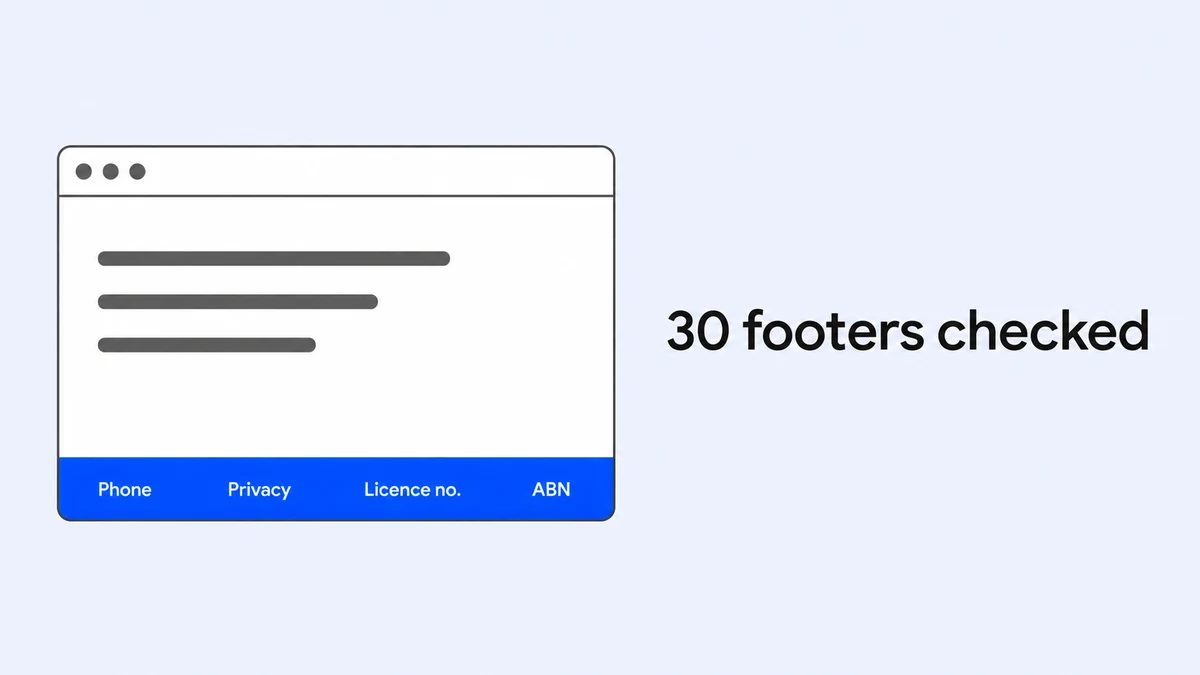
We read the footers of 30 small business websites in September 2026, five in each of six
fields: electricians in Sydney, plumbers on the Gold Coast, NDIS providers in Melbourne,
childcare centres in Brisbane, dentists in Perth and physiotherapists in Adelaide. All came
from Google’s local results. Chains, franchises and directories were left out.
| In the footer | Sites | Share |
|---|---|---|
| A footer of some kind | 30 | 100% |
| A © line | 24 | 80% |
| A phone number | 18 | 60% |
| A privacy policy link | 18 | 60% |
| A street address | 14 | 47% |
| An email address | 14 | 47% |
| A “website by” credit to a web agency | 11 | 37% |
| An ABN or ACN | 9 | 30% |
| A terms link | 8 | 27% |
| An accessibility statement link | 1 | 3% |
Privacy policies were the most common legal link in the footer, on 18 of the 30. Three things stand out.
Businesses publish what is optional and skip what is useful. Twenty-four footers carry a
© line, which no law requires. One links an accessibility statement.
The trades take licences seriously. Seven of the ten trade sites show a licence number in
the footer. One more says “NSW Licensed Electrical Contractor” with no number beside it. The
number may appear elsewhere on that site, but the NSW rule asks for the number, not the word.
A third of these footers advertise someone else. Eleven of the 30 carry a credit linking
to the agency that built the site. It is common and mostly harmless, but it is a link out of
your site on every page, sitting right beside your own contact details.
NDIS providers were the one group where an ABN is standard: four of the five show it, and two
show their NDIS registration number beside it.
Only two copyright lines were out of date, one reading ©2021 and one ©2024. Most sites keep
the year current, probably because the theme fills it in. If yours still says 2021, it tells
visitors nobody has looked at the site in years.
A note on method, because it changed the result. The first automated pass reported 14 footers
with a phone number and 11 with a terms link. Reading every flagged footer by hand turned up
phone numbers the script had missed because of the brackets in “(07) 5528 4449”, and “terms”
links that were really medical “conditions” pages or Google’s reCAPTCHA notice. The script
was fixed and run again, and the remaining errors were corrected against the quoted text.
One site in the original sample built its pages entirely in JavaScript, so its footer could
not be read, and it was replaced.
What not to put in a website footer
Most footer best practices are about what to add. A good footer is just as much about what
you leave out.
A block of keywords. Some widely shared footer checklists suggest adding keywords for
search. Google’s spam policies
name keyword stuffing as a violation, and one of their own examples is “blocks of text that list
cities and regions that a web page is trying to rank for”. A footer reading “electrician Sydney,
electrician Parramatta, electrician Penrith” is exactly that.
Every page on the site. Forty links in small grey type is not navigation. It is a wall,
and on a phone it is a usability problem as well.
Text nobody can read. Light grey on dark grey is a common footer style and a frequent
accessibility failure. WCAG
asks for a contrast ratio of at least 4.5 to 1 for normal text at level AA, the level most
Australian accessibility obligations point to.
Stale details. An old number, or an address you moved out of two years ago, does more harm
in the footer than anywhere else. The footer is where visitors look for important information,
and it repeats across the whole site.
Frequently asked questions
What should be in a website footer?
Your phone number, where you work, a privacy policy link, terms and a short set of links
onward. Add your licence number if you are a licensed trade, and your ABN if you want it
visible. Everything else is optional.
Do I have to show my ABN on my website?
Not on the website itself. ASIC’s list of documents that must show a company’s ACN includes
invoices, receipts, orders and letterhead, but not websites. Invoices and order confirmations
your site sends are covered.
Do I need a copyright notice in my footer?
No. Copyright in Australia is automatic. The Attorney-General’s Department says a notice is
not legally required but is sound practice, so keeping one is reasonable.
Does a website always need a footer?
All 30 sites we checked had one, and visitors expect it. On a business site, the footer is
where people look for contact details and legal links, so leaving it out makes both harder
to find.
What cannot be used in a footer?
Nothing is banned outright, but some things work against you: blocks of keywords, which
Google treats as spam, long lists of links, low-contrast text and outdated contact details.
Should the footer be the same on every page?
Usually, yes. Consistency is what makes it useful. The exception is a checkout or a landing
page, where a slimmer footer keeps attention on the one task.
Where to start
Open your own website footer now and check four things: is there a number to call, is there a privacy
policy link, is your licence number there if your trade needs one, and is the year current.
It takes ten minutes, and it is a check website owners can do without a developer. If the footer is the least of your site’s problems, our
WordPress website design service builds the whole site,
footer included, and you can tell us what you need.
This article is general information about what Australian business websites commonly carry and is not legal advice. Rules differ between states and industries and change over time: check the current guidance from ASIC, the OAIC, the Attorney-General’s Department and your state licensing body before relying on anything here. The rules quoted were checked against those sources on 11 September 2026. The review of 30 footers is our own, and its method and limits are described in the article.